
Losing WhatsApp messages can be a frustrating experience for many smartphone users. People often use WhatsApp for personal chats, business communication, sharing documents, photos, videos, and important information. When messages disappear because of accidental deletion, phone reset, software issues, or device damage, users start searching for reliable recovery solutions. One tool that is frequently discussed in this situation is DroidKit. Many users ask whether DroidKit can really recover WhatsApp messages and how effective the software is in real situations. Understanding how the recovery process works, what features are included, and what limitations exist can help users decide whether this tool is suitable for their needs.
Understanding What DroidKit Is
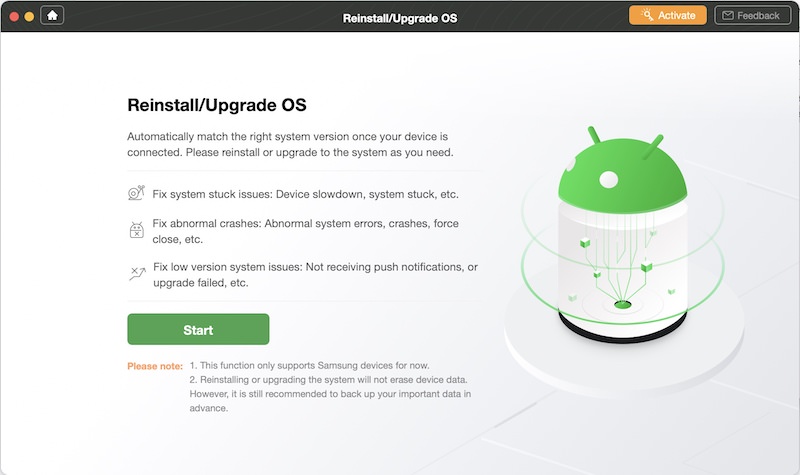
DroidKit is an Android data recovery and system repair software designed to help users manage different mobile problems. The software is mainly developed for Android devices and includes several functions such as recovering deleted data, unlocking screens, fixing system issues, bypassing FRP locks, and extracting information from devices. One of its popular features is WhatsApp message recovery. Since WhatsApp has become one of the most used messaging applications in the world, recovery tools that focus on restoring chats are in high demand.
The software is created to provide an easy interface for users who may not have technical knowledge. Instead of using complicated recovery commands or manual processes, DroidKit simplifies the process through step-by-step instructions. This makes the software attractive to people who want a faster and easier solution for recovering deleted WhatsApp conversations.
How WhatsApp Messages Get Deleted
Before understanding whether DroidKit can recover WhatsApp messages, it is important to know how messages are usually lost. There are many common situations that can lead to deleted chats. Sometimes users accidentally delete conversations while cleaning storage space. In other cases, uninstalling WhatsApp without a proper backup can remove message history. Device crashes, software updates, factory resets, virus attacks, and damaged phones may also cause message loss.
Another common issue happens when users switch to a new phone and fail to transfer WhatsApp data correctly. Some people also lose chats because of corrupted backup files or failed synchronization processes. In such cases, recovery software becomes an option for users who do not have access to a recent backup.
Can DroidKit Actually Recover WhatsApp Messages?
Many users report that DroidKit can recover WhatsApp messages under certain conditions. The success rate usually depends on factors such as how long ago the messages were deleted, whether the deleted data has been overwritten, the device model, Android version, and backup availability. If the deleted data is still stored in the device memory and has not been replaced by new files, the software may be able to retrieve it.
DroidKit scans the device storage to locate deleted WhatsApp files and conversations. It attempts to identify recoverable data fragments and rebuild deleted chats. In some situations, the software may recover full conversations, while in others it may only restore partial data. Users often find that recently deleted messages have a better chance of recovery compared to very old deleted chats.
The software may also help users recover media attachments such as photos, videos, audio messages, and documents shared through WhatsApp. This can be especially useful for people who lost important business or personal files connected to conversations.
Features That Support WhatsApp Recovery
One reason many people use DroidKit is because it includes multiple recovery options. The software supports data extraction from internal device storage, Google backups, and sometimes SD card storage depending on the device setup. This flexibility increases the chances of finding deleted WhatsApp data.
Another useful feature is preview mode. Before recovering files, users may be able to preview recoverable messages and attachments. This helps save time because users can choose only the data they want to restore instead of recovering everything on the device.
The software also claims compatibility with many Android brands such as Samsung, Xiaomi, Huawei, Oppo, Vivo, Motorola, and other popular devices. Compatibility is important because Android devices often use different system structures, and not every recovery tool works equally well on all phones.
Additionally, DroidKit provides a simplified user interface. Many recovery tools are complicated and require advanced technical skills, but DroidKit focuses on beginner-friendly navigation. This makes the process easier for users who are not experts in mobile data recovery.
Factors That Affect Recovery Success
Although DroidKit may recover WhatsApp messages, users should understand that recovery is not always guaranteed. Several important factors affect the success rate.
One major factor is data overwriting. When messages are deleted, they are not always removed immediately from storage. Instead, the system marks that storage space as available for new data. If new apps, videos, or files replace that storage area, recovery becomes much harder or impossible.
Time is another important factor. Recovering messages quickly after deletion usually increases success chances. Waiting too long while continuously using the phone can reduce the possibility of successful recovery.
Phone condition also matters. If the device has serious hardware damage, storage corruption, or software failure, recovery may become more difficult. Some advanced recovery features may require USB debugging to be enabled or specific permissions to access device storage.
Backup availability also plays a major role. If users have Google Drive or local WhatsApp backups, recovery may be easier and more complete compared to devices with no backup history at all.
Advantages of Using DroidKit
There are several reasons why users consider DroidKit for WhatsApp recovery. One advantage is convenience. The software combines multiple Android repair and recovery tools into one platform, which reduces the need to install different programs for separate tasks.
Another advantage is ease of use. The software guides users through recovery steps clearly, making it accessible for beginners. The scanning process is also relatively automated, which saves time and effort.
DroidKit may also support recovery without requiring root access in some situations. Many Android recovery tools need rooting, which can be risky and may void device warranties. Having partial recovery options without rooting is attractive for many users.
The ability to recover not only WhatsApp messages but also contacts, photos, call logs, and other files adds additional value for users who lost multiple types of data.
Possible Limitations and Risks
Despite its features, DroidKit has limitations. Not all deleted messages can be restored, especially if the storage data has already been overwritten. Some devices may also have restricted access due to newer Android security systems.
Another limitation is that some advanced features may only be available in the paid version. Free versions of recovery software often provide scanning but limit actual recovery options. Users should review pricing and feature details carefully before purchasing.
There is also the possibility that recovery results may vary between devices. Some users report excellent recovery performance, while others recover only partial conversations. Recovery tools are influenced heavily by device condition and system settings.
Users should also be cautious when downloading recovery software online. It is important to obtain software from official and trusted sources to avoid malware or fake applications that claim to recover WhatsApp data.
Tips to Prevent WhatsApp Message Loss
While recovery tools can be useful, prevention is always better than recovery. Users should regularly back up WhatsApp chats to Google Drive or local storage. Automatic backups can greatly reduce the risk of permanent data loss.
Keeping enough device storage available is also important because low storage may lead to backup failures or app instability. Users should avoid installing unknown applications that could damage system files or create security risks.
Updating Android software and WhatsApp regularly may also improve stability and reduce the chances of message corruption. Before resetting or changing devices, users should confirm that backups are completed successfully.
Conclusion
DroidKit can recover WhatsApp messages in many situations, especially when deleted data has not been overwritten and recovery is attempted quickly. The software offers features such as device scanning, backup extraction, media recovery, and user-friendly navigation that make it attractive for Android users who lose important chats. However, recovery success depends on multiple factors including device condition, backup availability, Android version, and how long ago the data was deleted.
Although DroidKit may help restore deleted conversations, users should remember that no recovery tool can guarantee complete results in every case. Regular backups remain the safest way to protect important WhatsApp messages and files. For users looking for an Android recovery solution with multiple features and a simple interface, DroidKit is often considered one of the available options for recovering lost WhatsApp data.
